← All case studies
Digital product · Strategy · UX/UI · Development

Specialized OS

From 20+ workarounds to a purpose-built operating platform.

Specialized’s team had outgrown its software. An out-of-the-box solution had been adapted piecemeal to Specialized’s operational needs. Custom functionality had been added without a coherent approach to how the work fit together, leaving a patchwork system that required workarounds for nearly every task. Staff relied on more than 20 workarounds to complete everyday tasks, retrieve information, and keep services moving.

FaasHaus rebuilt the experience around the business itself—connecting service workflows, giving providers access in the field, and bringing previously unavailable tools and reporting into one platform.

Our role

Product strategy · UX/UI design · Custom application development

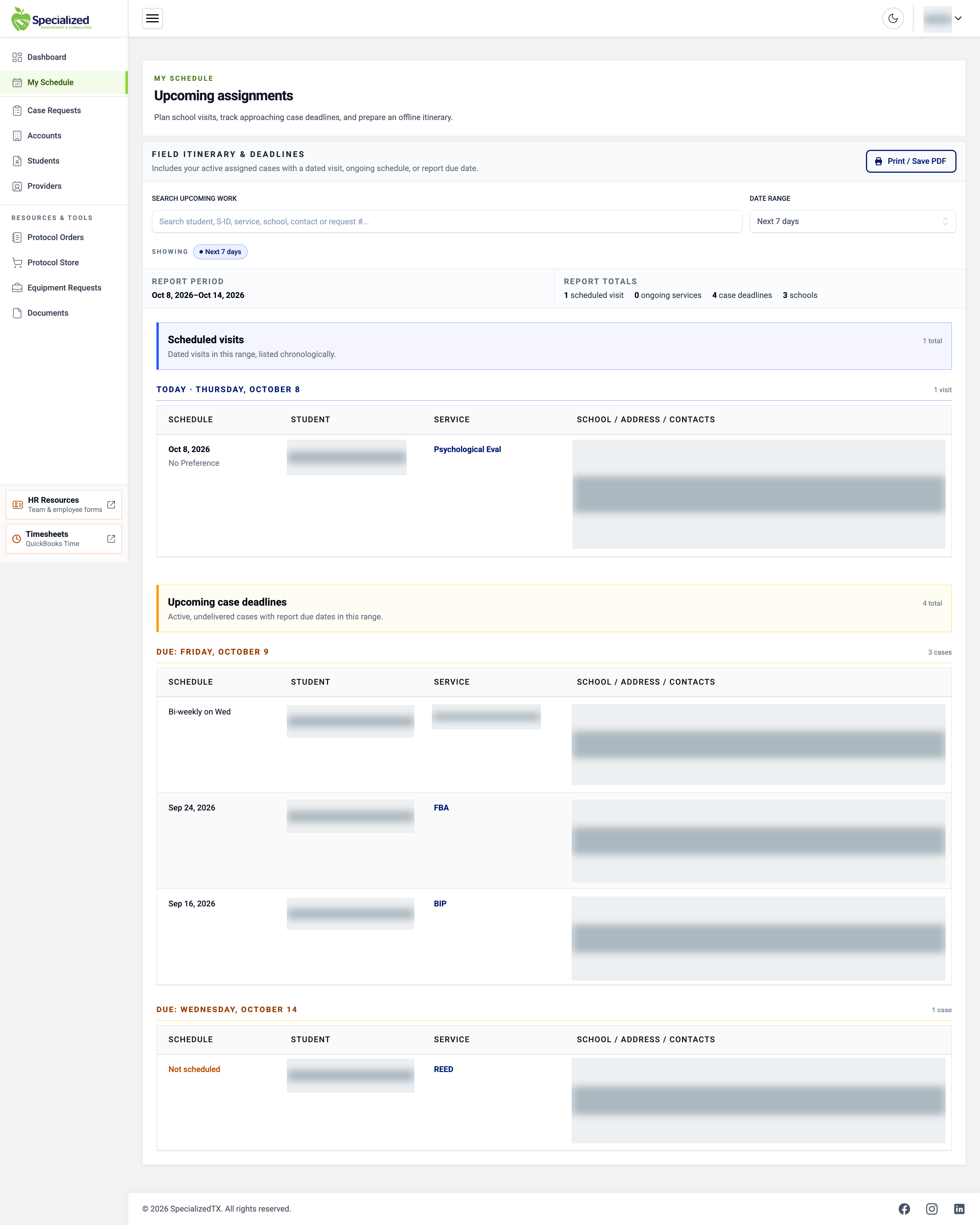
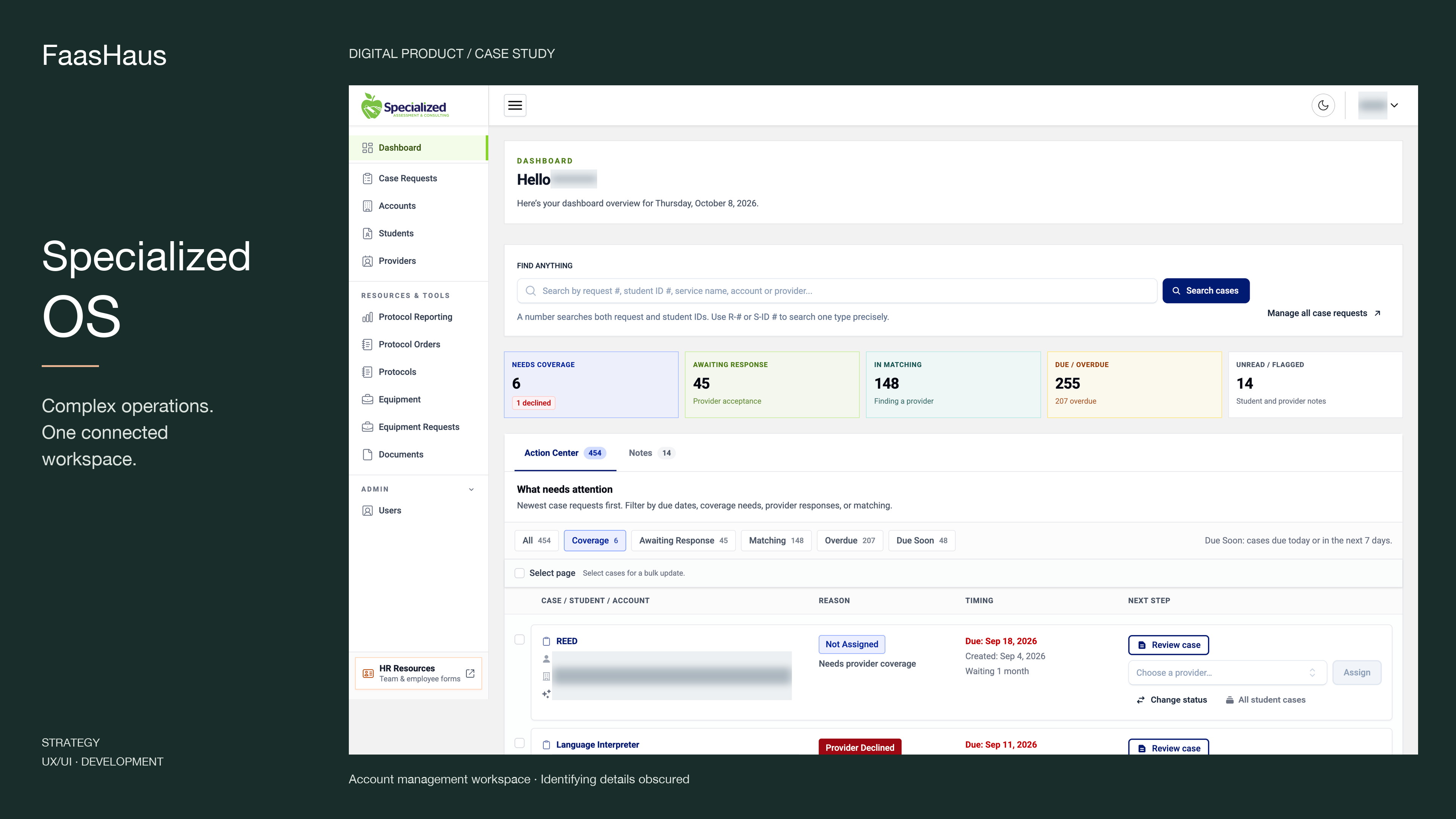
Specialized OS account management dashboard showing service request queues, search, and provider assignment tools, with identifying details obscured.
Specialized OS · Account management dashboard · Identifying details obscured

The challenge

01

When the software becomes part of the problem

The existing system placed a daily burden on the people using it. Regular crashes interrupted work and forced staff to restart workflows. Finding the information they needed often required extra steps and improvised processes.

For providers working in the field, the limitations extended beyond the office. The platform was unusable on their mobile devices, so they printed details or wrote them down before heading out.

These were recurring obstacles to getting work done. The team had adapted its processes to accommodate the limitations of its software.
The rebuild

02

A rebuild shaped by the work

The goal was broader than updating the interface. Specialized needed a platform that reflected how its teams coordinated services, managed responsibilities, and accessed information.

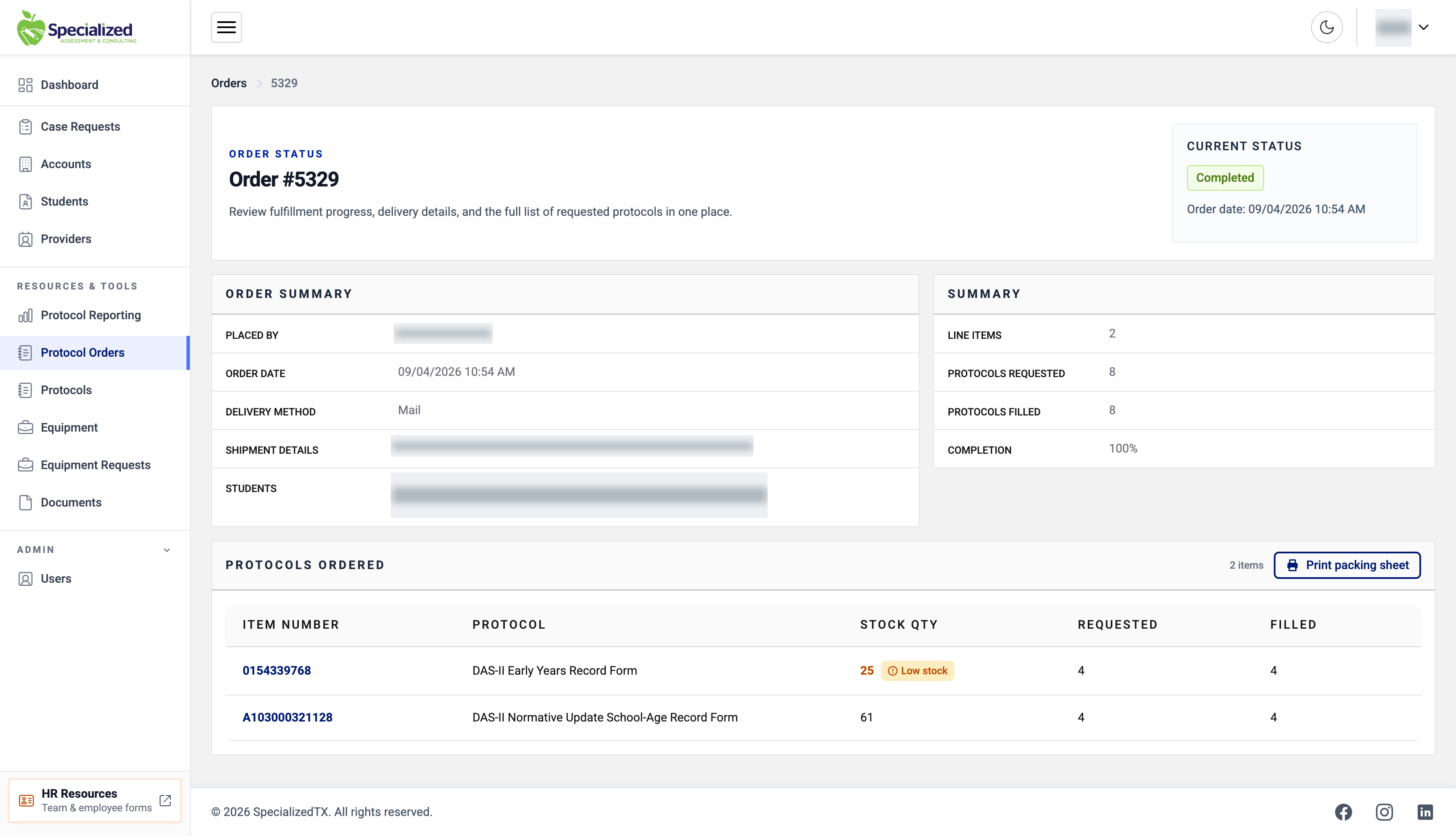
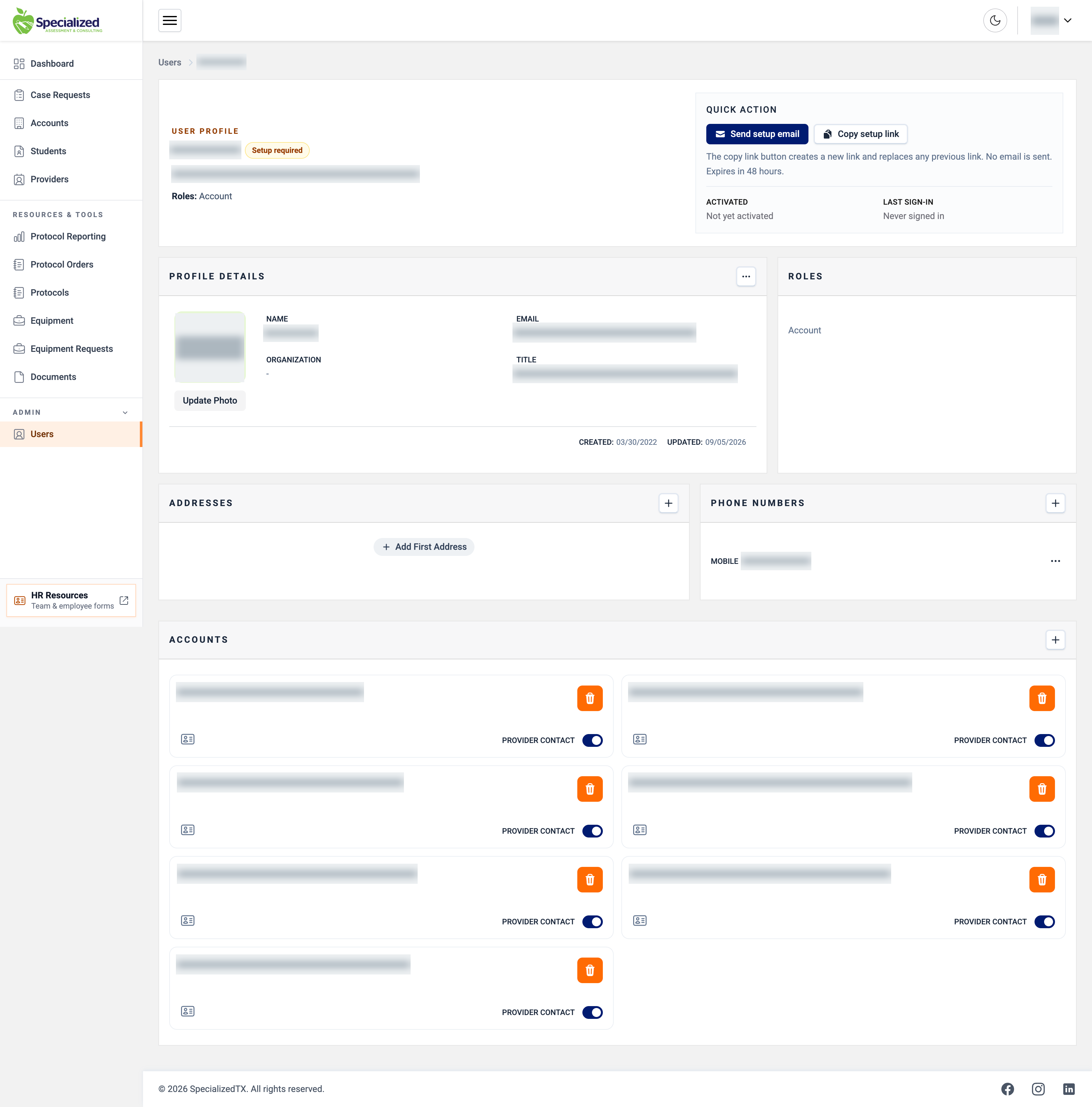
FaasHaus redesigned and rebuilt those workflows in a purpose-built web application. Student records, service requests, accounts, providers, equipment, and assessment protocols became connected parts of a shared operational system.

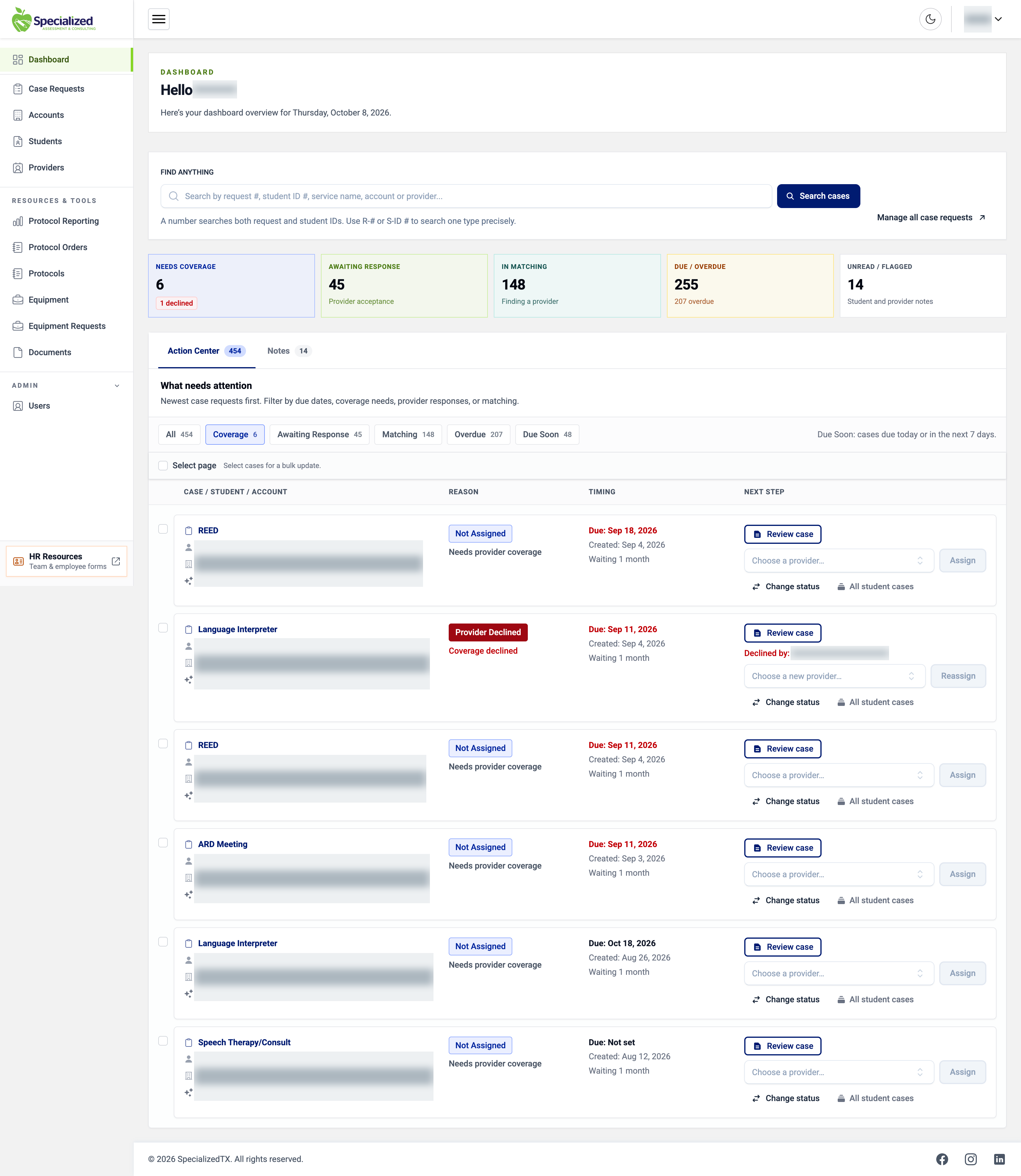
Role-specific workspaces give users an experience organized around their responsibilities. For account managers, that means seeing coverage gaps, pending provider responses, matching activity, approaching deadlines, and unread notes—and moving directly into the work that needs attention.

03

A clearer path from request to action

The new dashboard makes operational priorities visible. Users can filter work by urgency, locate records through a shared search, review cases, assign providers, and manage status changes.

Bringing the relevant context and actions together streamlined workflows that had previously depended on workarounds. The platform also introduced additional tools, features, and reporting, expanding what the team could manage and see within the system.

04

Access that extends into the field

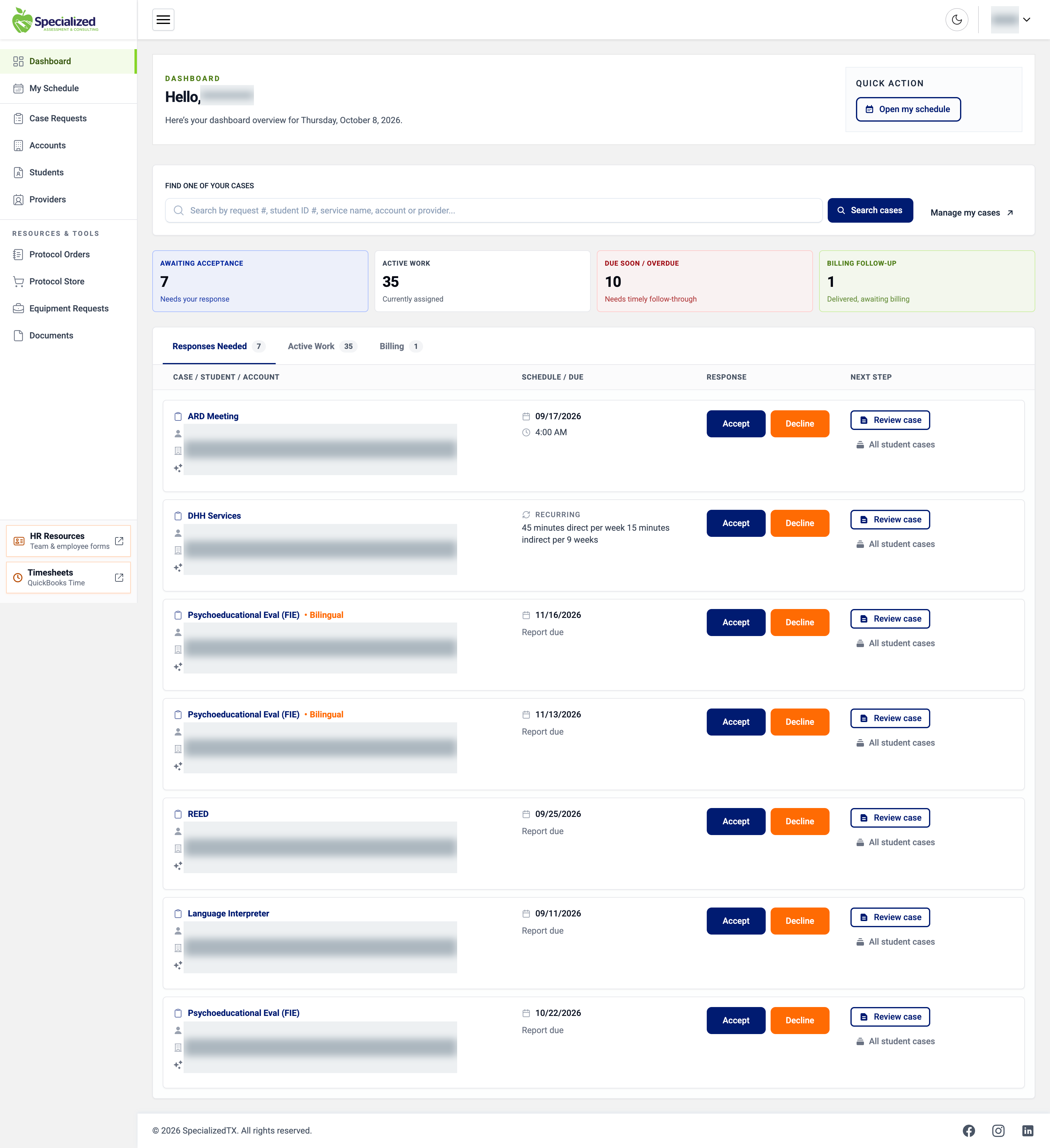
Mobile access was a practical requirement. Providers needed to retrieve information while working away from a desk.

The rebuilt experience gives them access from their mobile devices, addressing the limitation that had forced them to prepare printouts or handwritten notes just to reference details in the field.

The transformation

05

More visibility. More capability. Less working around the system.

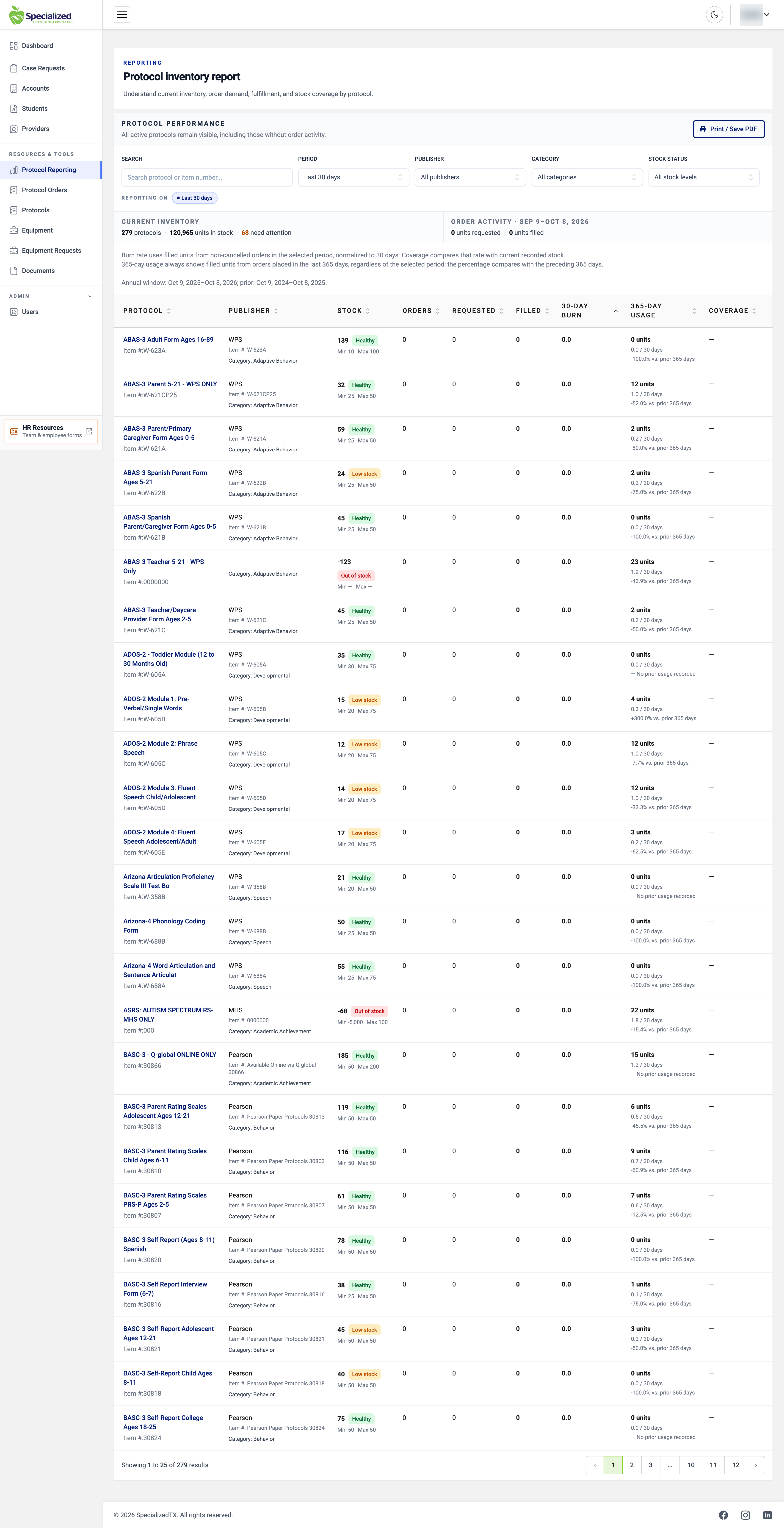
Specialized now has a platform designed to support its operations, with streamlined workflows and reporting that provides visibility the previous system could not offer.

The transformation reaches beyond the screen: it changes how staff find information, coordinate services, and access the details they need throughout the working day.

For FaasHaus, Specialized OS demonstrates the value of understanding the operational problem—and carrying that understanding through product design, development, and delivery.

Inside the platform

The tools behind the work.

Screenshots from the application. Names, student IDs, schools, and contact details are obscured.

Communication is part of the experience

Clear next steps.
Beyond the dashboard.

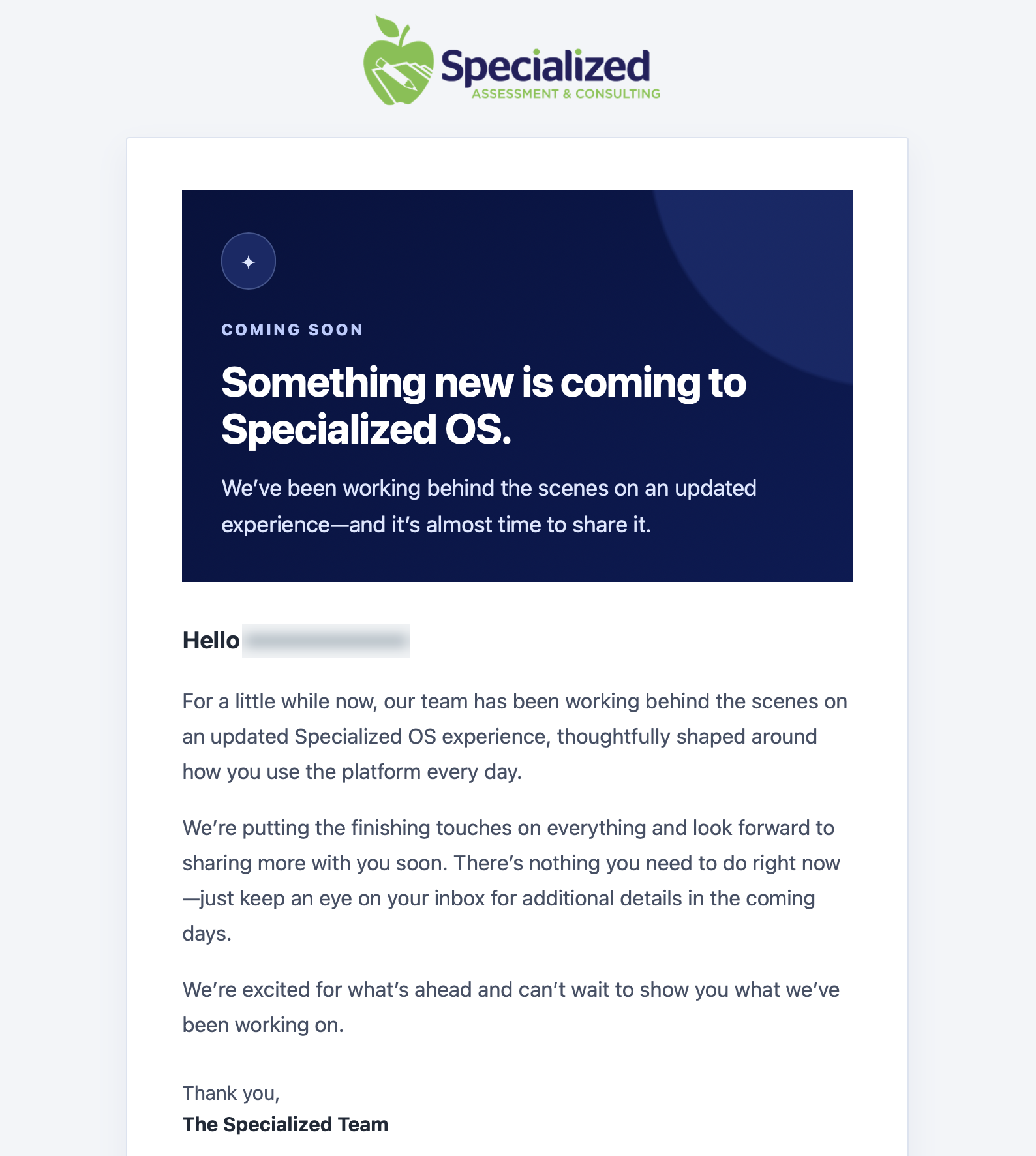
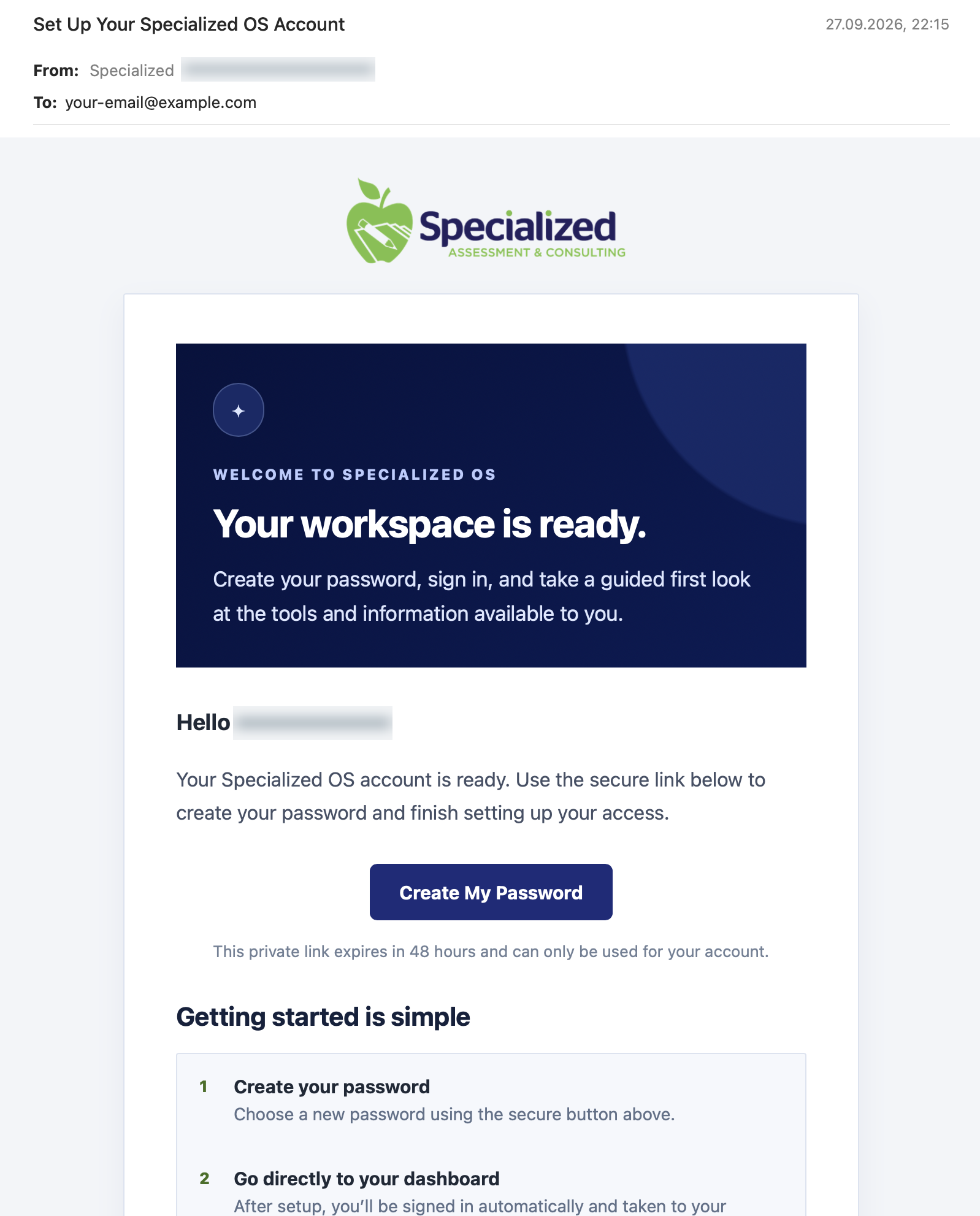
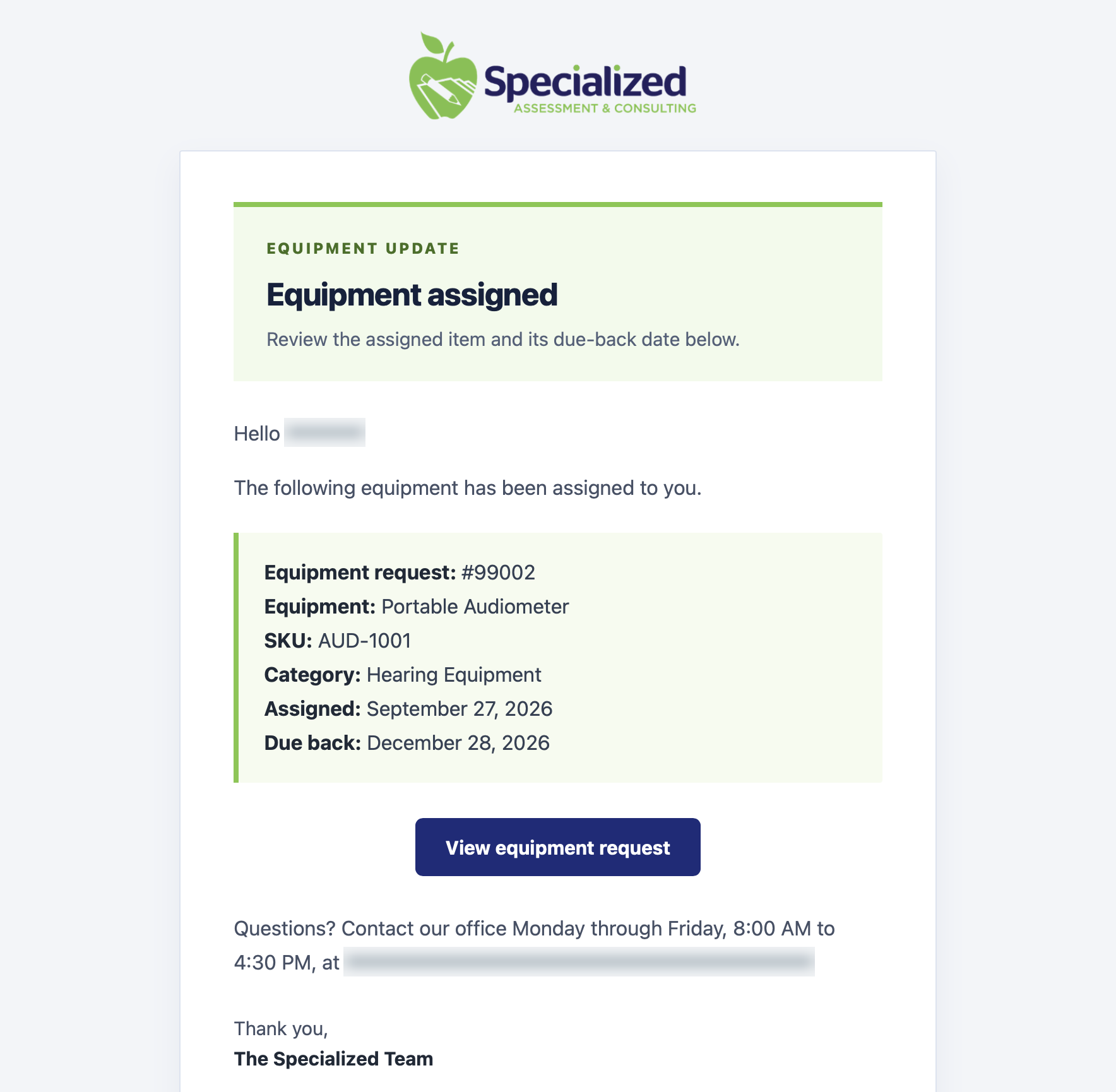
The rebuild also extended to how people hear about changes, get access, and receive operational updates. Branded emails introduce the platform, guide account setup, and put equipment assignments and return dates in context—with a direct path back to the relevant work.

Specialized OS launch-email example with recipient name obscured.

Prepare people for change.

A launch announcement explains what is coming and what users should expect.

Specialized OS welcome-email example with recipient name obscured.

Make getting started clear.

The welcome email explains account setup, link expiry, and the first steps into the workspace.

Specialized OS equipment-email example with recipient name obscured.

Connect updates to action.

Equipment notifications bring the assigned item, return date, and next action together.

Email examples. Recipient names and contact details are obscured. Select an image to view it at full resolution.

Start a conversation

Your team’s workarounds are telling you something.

If your business depends on disconnected tools, repeated manual steps, or software you’ve outgrown, we can help you turn those constraints into a platform built for the way you work.

Let’s talk about your platform.